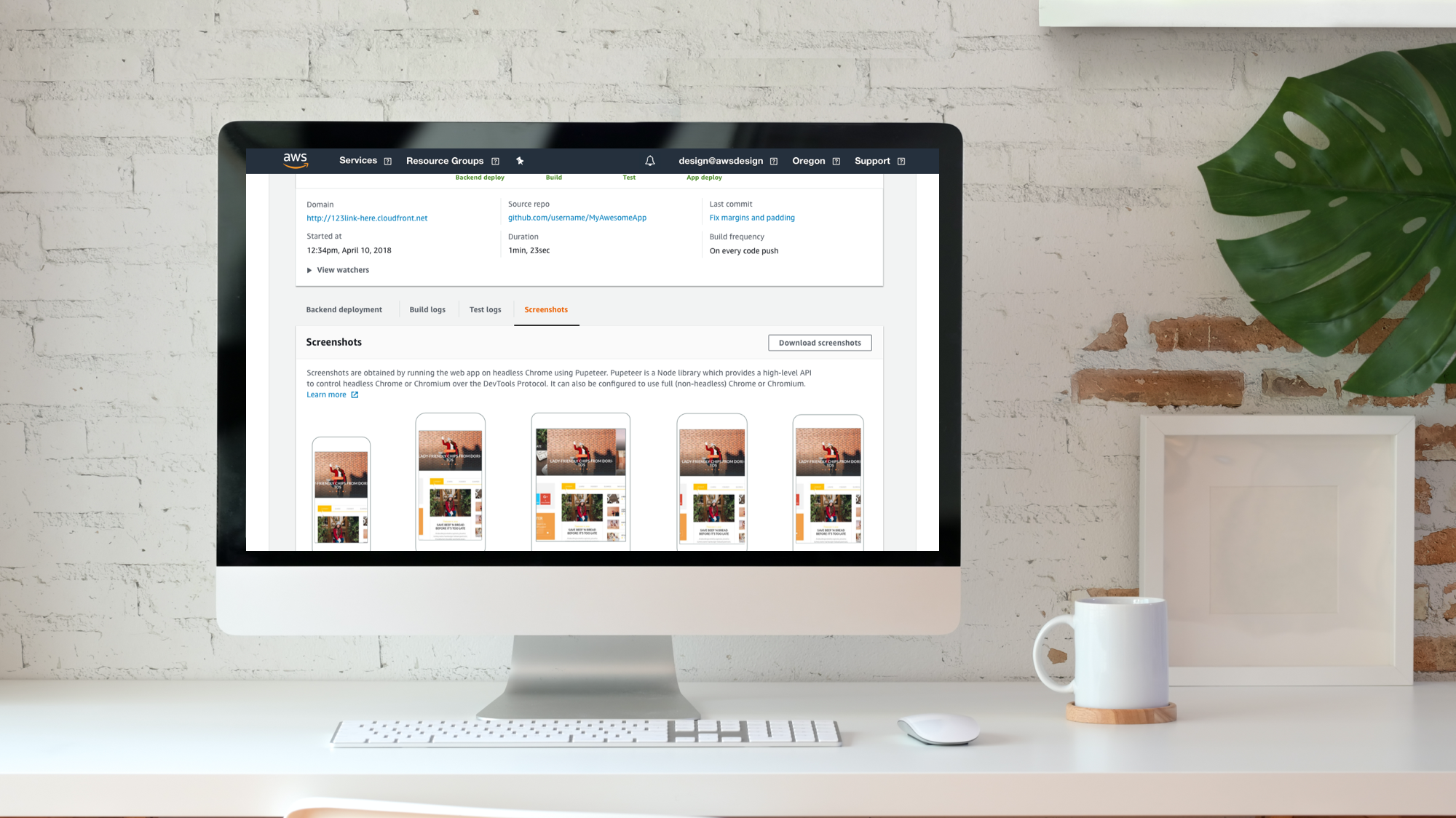
AWS Amplify
Fastest, easiest way to build mobile and web apps that scale.
AWS Amplify is a set of tools and services that can be used together or on their own, to help front-end web and mobile developers build scalable full stack applications, powered by AWS. With Amplify, you can configure app backends and connect your app in minutes, deploy static web apps in a few clicks, and easily manage app content outside the AWS console.
Most developers do not use continuous deployment, because the existing tools and systems to build, sign, test and distribute apps are complicated and difficult to set up. As a result, new AWS customers are forced to take time consuming training to understand how to integrate with CD services.
AWS Amplify aims to provide an easy yet extensible app delivery solution, abstracting the complexity for its users. Connect your repo and continually build, test, distribute and monitor your apps.
“What can I use to deploy my project quickly?”
How it works
Screens below show samples of the onboarding wizard, app landing page and the app details page.
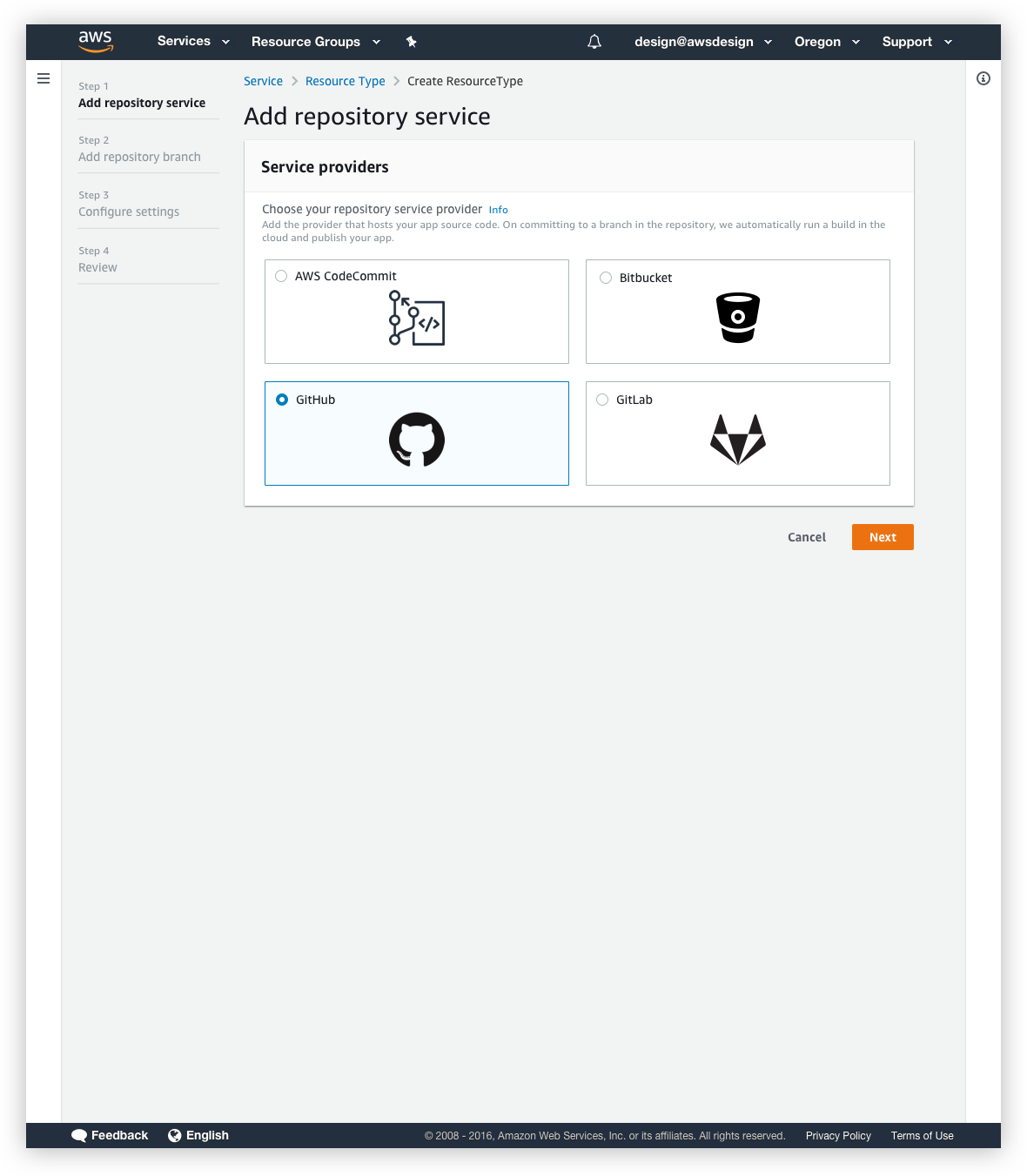
Onboarding wizard
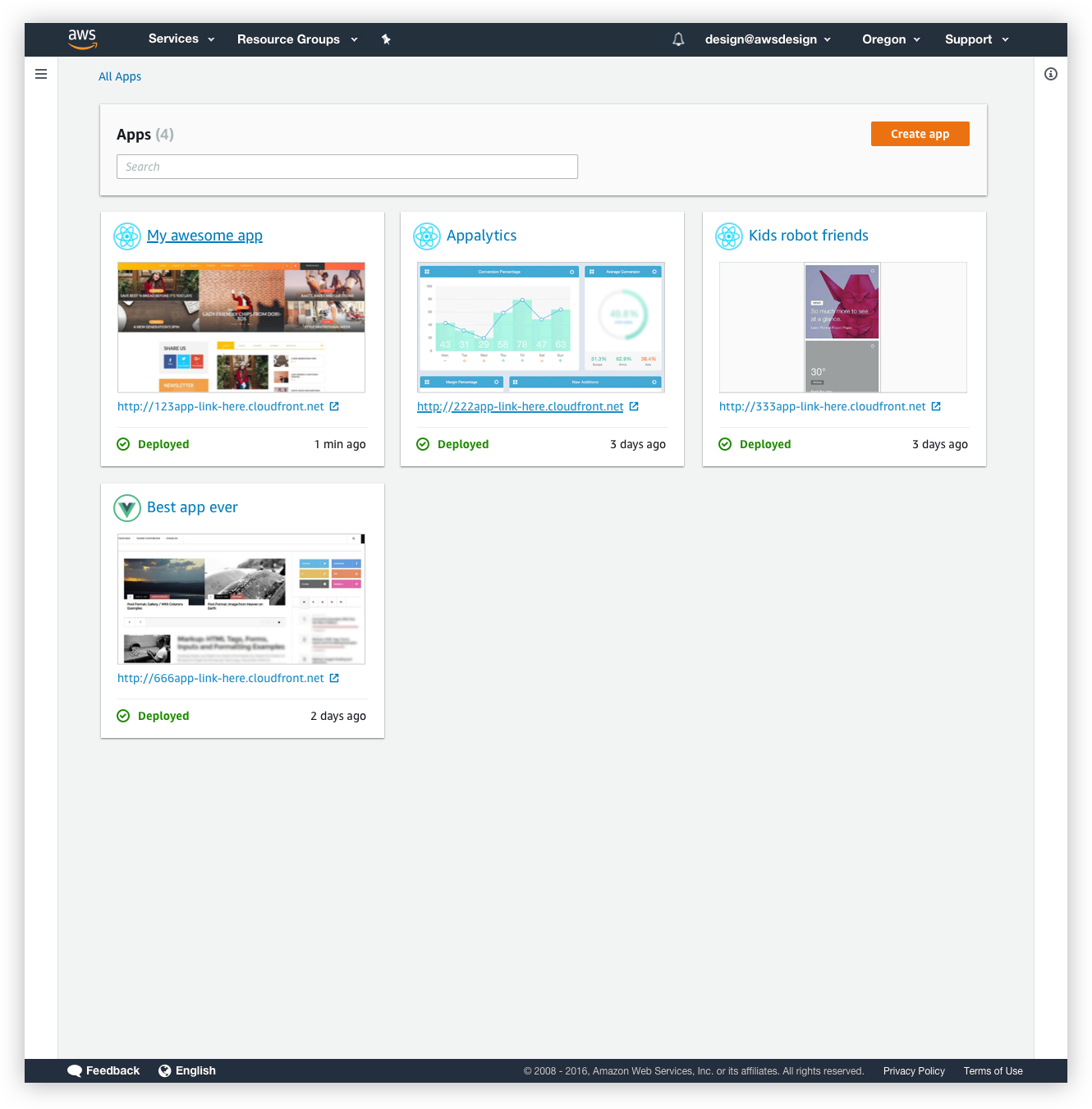
App landing page
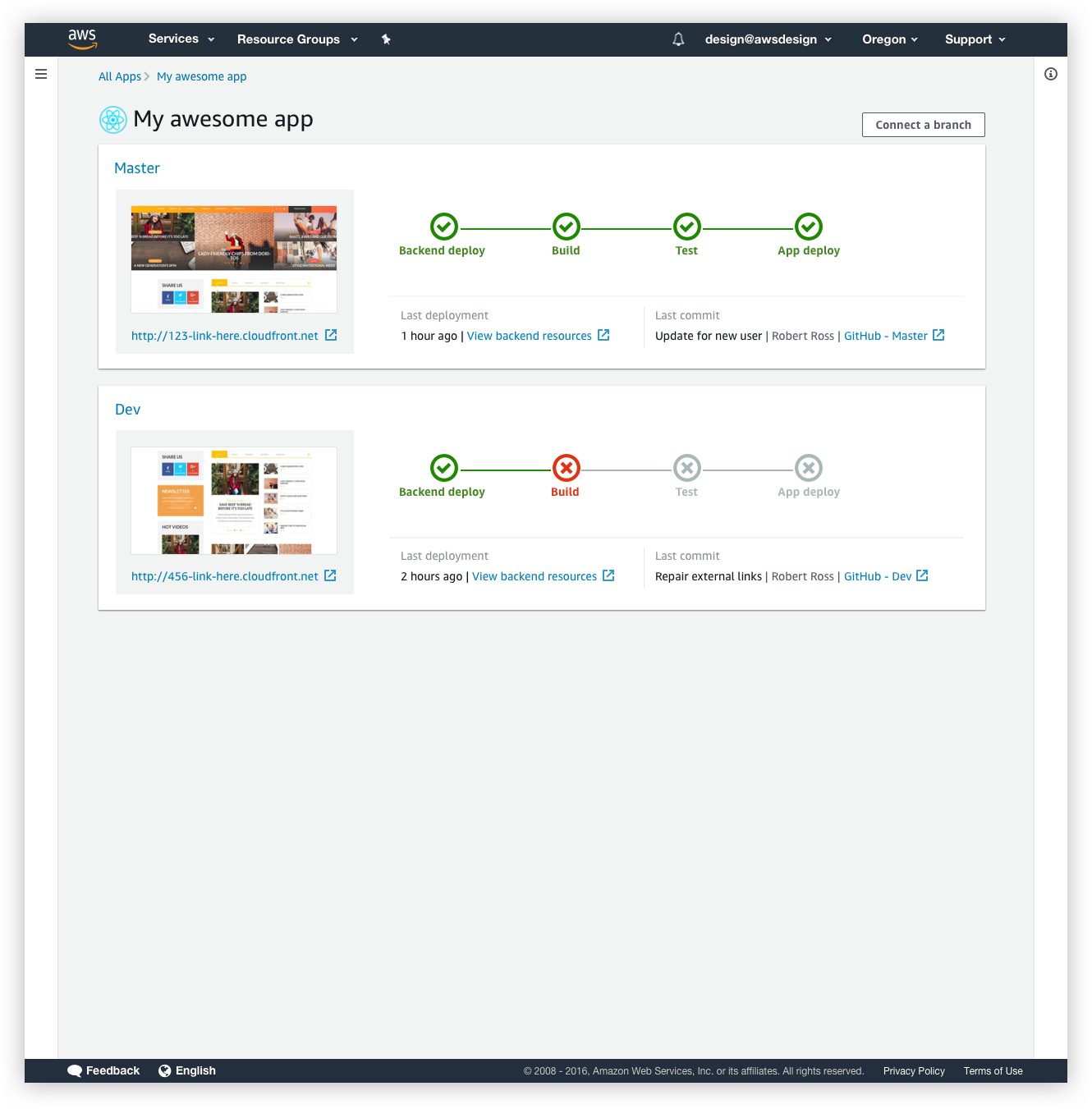
App details
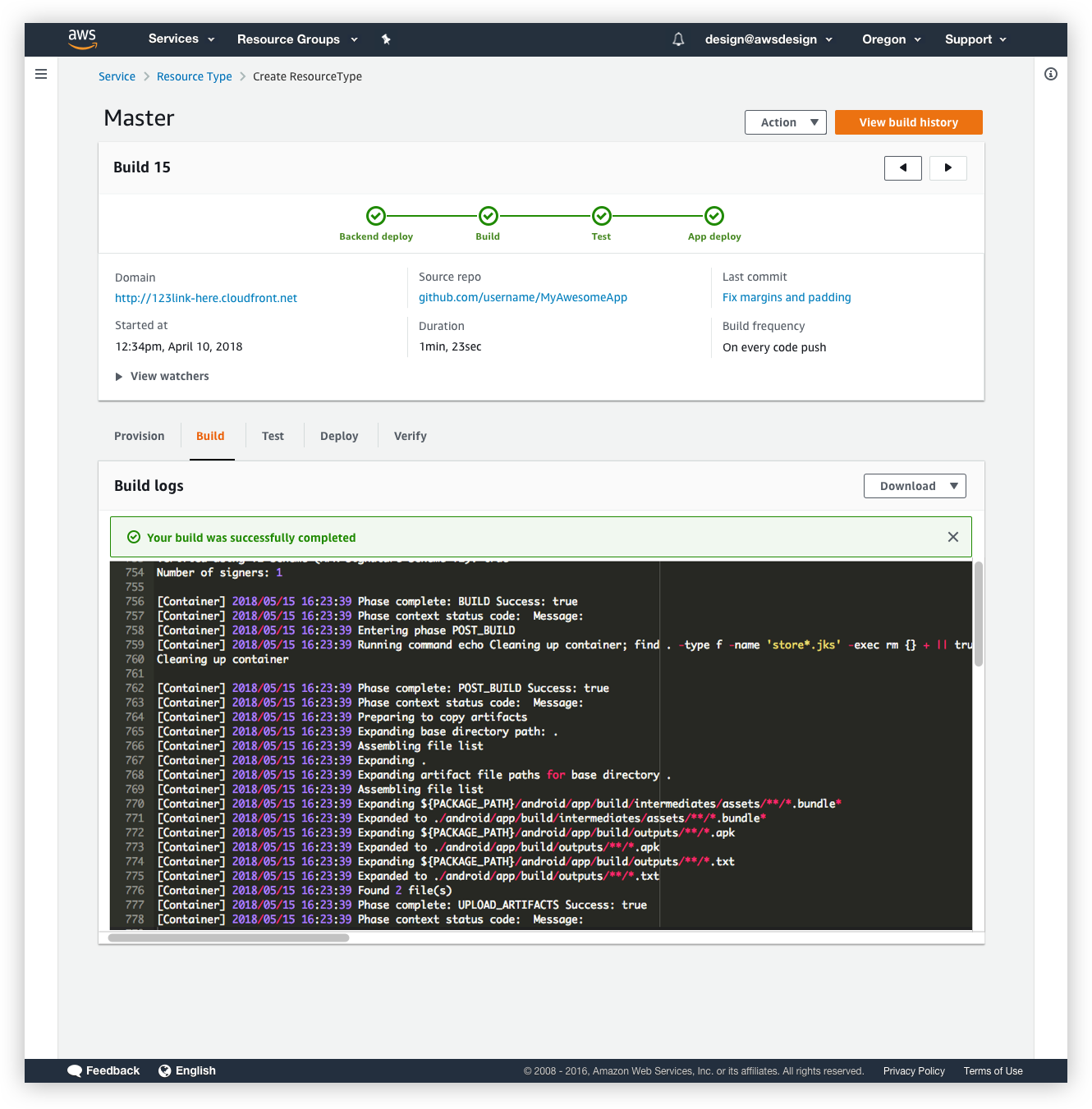
Build details
My role
I joined the team as a UX lead to help create a vision for the next iteration of the product that scales and adapts in an ambiguous environment.
I led UX and research efforts, working closely with two Product Managers, a team of developers as well as a technical writer. I created the end to end experience for both short and long term visions of the application and presented designs to Sr management and a VP.
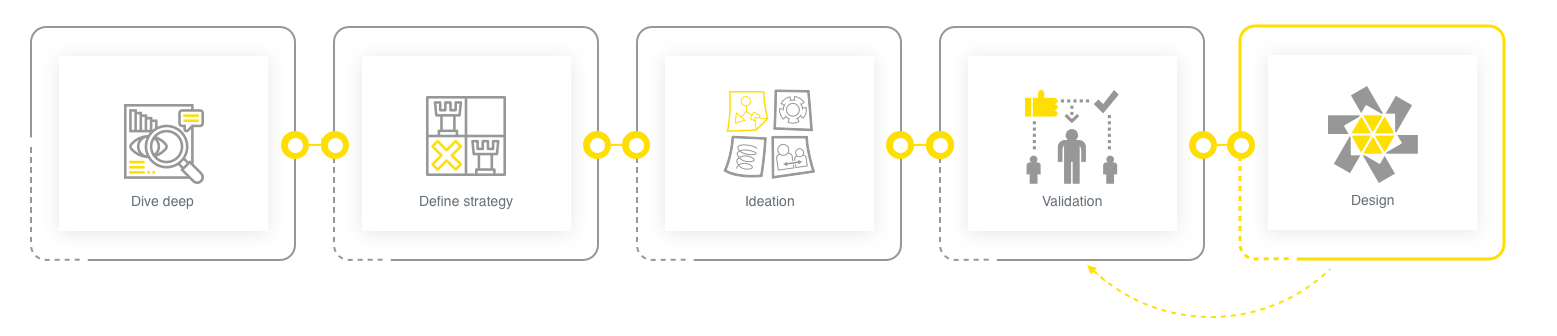
The team didn’t have an in house UX designer before, so it was important to gain the team’s trust early on and to help the team see value in following a solid design process. My design process was very collaborative and iterative. It helped to continually improve to craft an informed user experience. I worked closely with product management throughout this process .
End goal
The product mission was to delight mobile and frontend web developers by making it easy for them to develop, release, and operate cloud-powered applications that have uncompromising user experience.

User Research
The team did not have a researcher, so I owned the research tasks. This involved putting together a research plan, writing up tests scripts for usability studies and scheduling the usability studies.
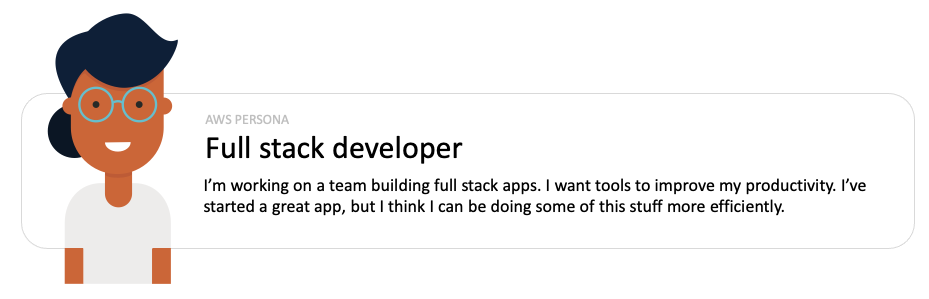
Through research, my Product Manager and I validated our assumption that the primary personas are developers and we gathered more details to understand their work style and needs.
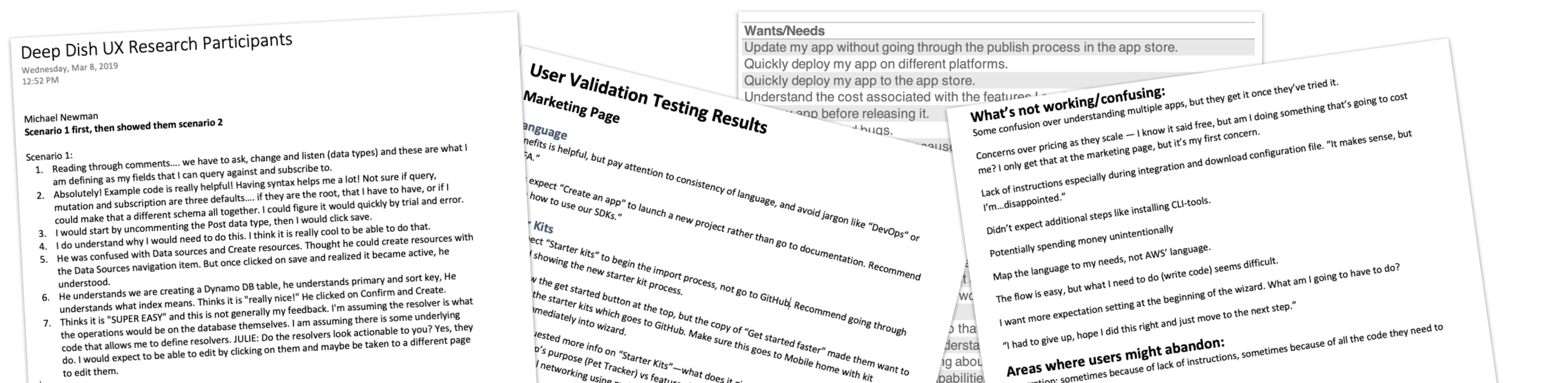
Research docs sampling
The Product Manager analyzed the onboarding funnel drop-off, which highlighted that some users were consistently dropping off at a particular step during the onboarding process. During research, I dove deep to figure out why.
Conducted user group studies to better understand pain points
Presented different onboarding scenarios to users and collected feedback on each
Consolidated testing results and shared them with the broader team
Used customer feedback to drive feature request priorities and goals for next iteration
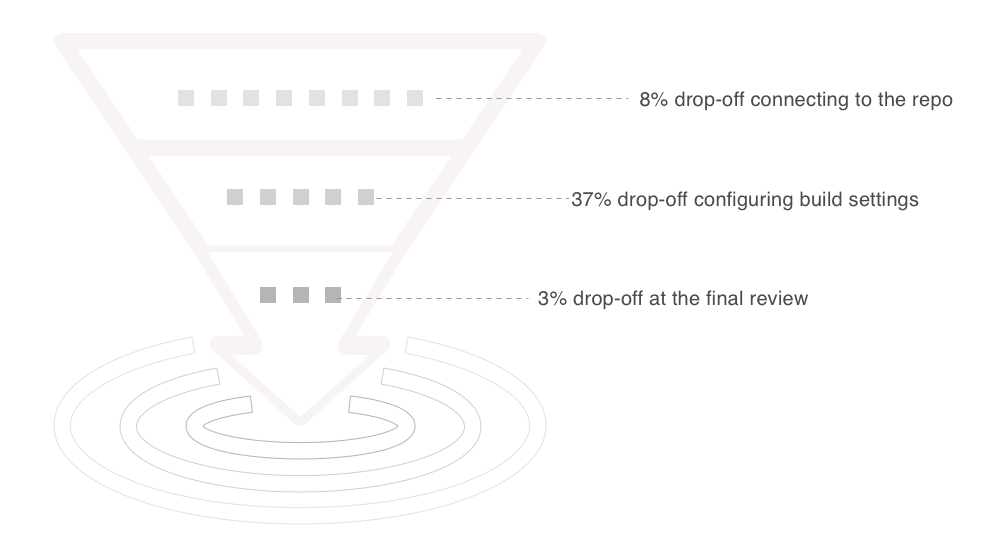
Funnel analysis measuring onboarding
Customer insights
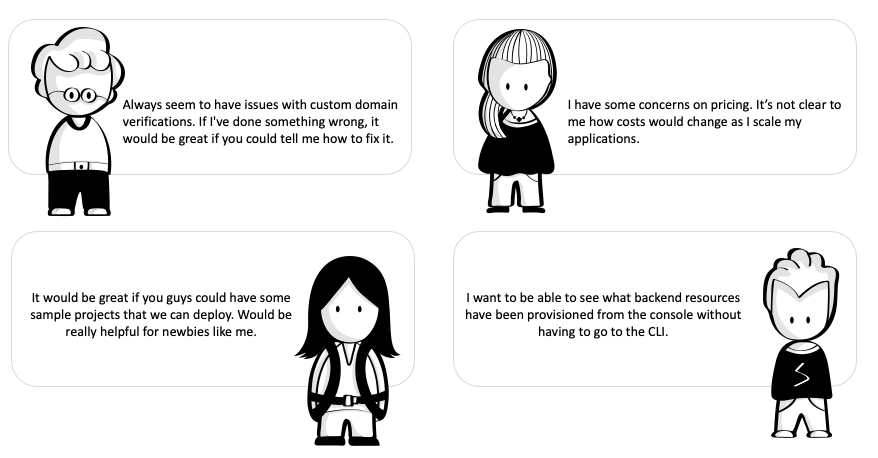
I interviewed 8 users (4 new and 4 existing) as part of the usability study. The focus of the research was to understand how users used applications, as well as identifying pain points and areas that delighted the users. No feedback was too small.
Process
Based on the research findings, I collaborated with PMs and engineering to drive the next iteration. This involved multiple brainstorming sessions with key stakeholders, prototyping design mockups and validating them with the team.
Key takeaways
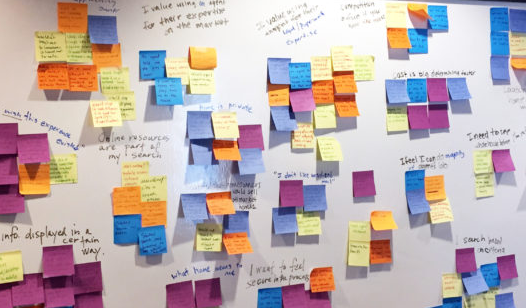
Using a wealth of data from the interviews, I worked with product management to create an affinity diagram to help us digest and categorize everything that we had discovered.
Majority of users ran into the same problem during onboarding. To onboard, users have to create a service role. To do this, users were navigated away from the Amplify console to the IAM console. This switch to an entirely new console left users confused and they were not sure how to proceed.
Users wanted visibility into the backend resources deployed through the Amplify CLI from the console.
Users wanted to see more granular feedback for sub-flows like the custom domain creation as it was not clear when things went wrong or what the next steps are.
Users wanted more transparency on pricing details as they scaled.
Some language references were too specific to AWS and not industry standard. For users new to AWS, this caused confusion.
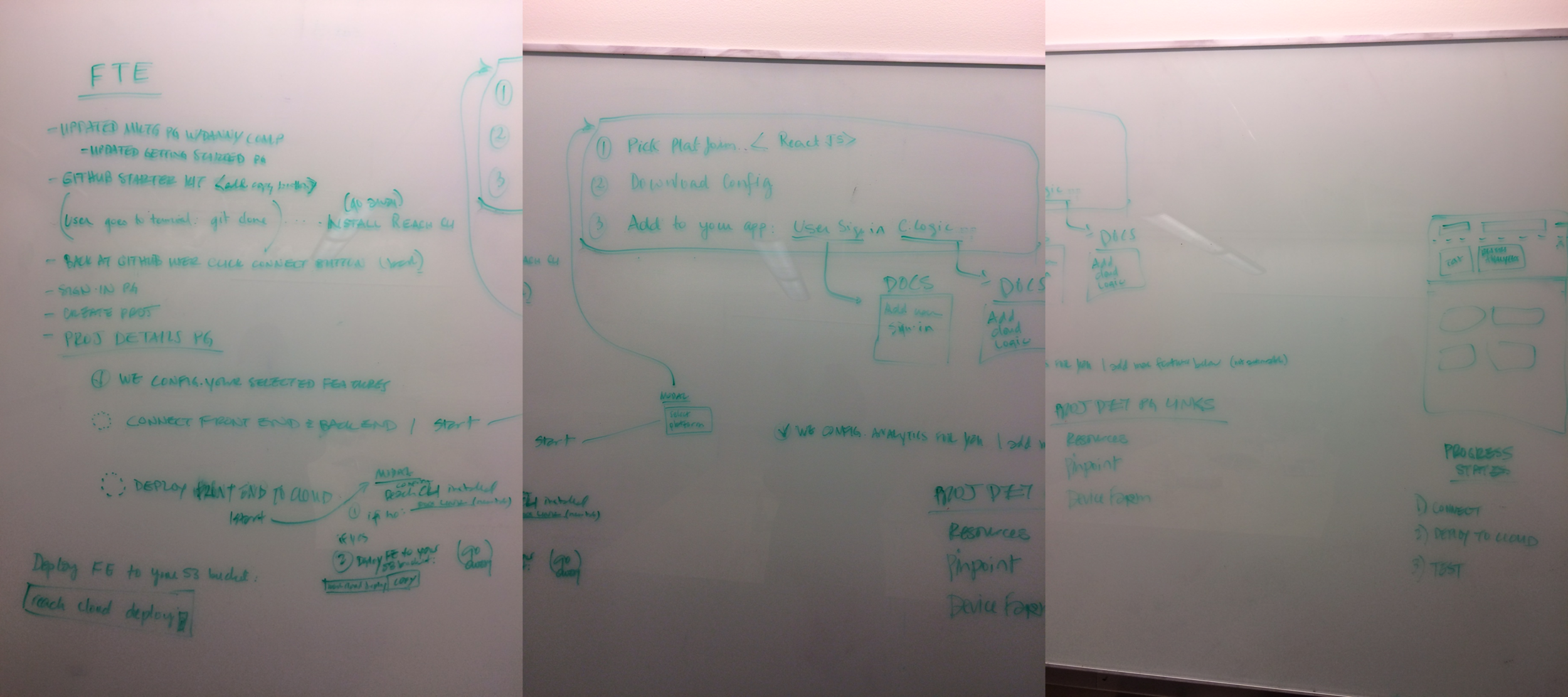
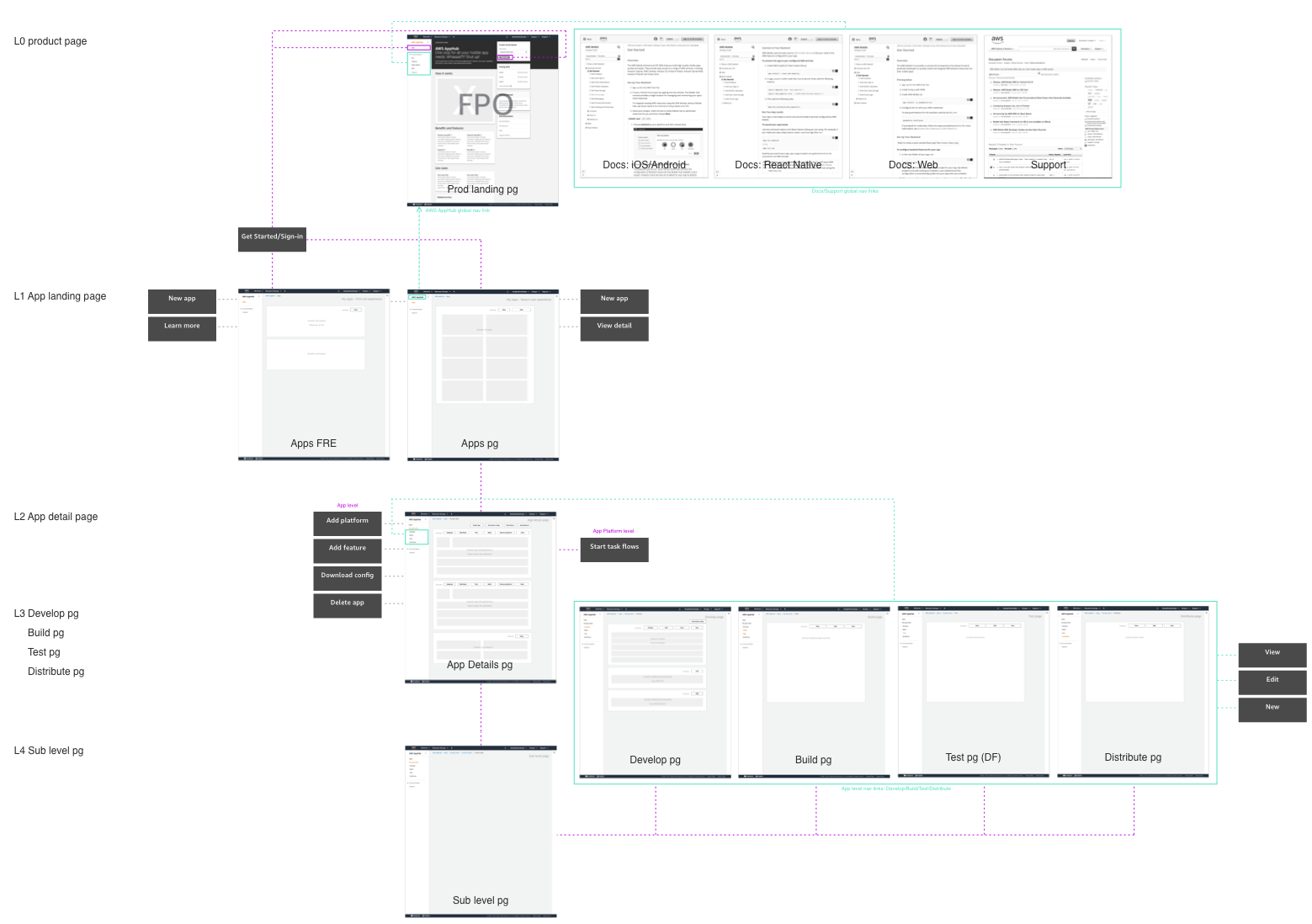
Created wireframes to quickly convey ideas, validate technical feasibility and drive consensus between teams.
Once I had consensus from the team on the wireframes, I also ran usability studies with 6 users to validate the different proposals and iterated based on feedback. This helped us to validate our ideas and gave us confidence that we were moving in the right direction.
Solutions
1) Introduce onboarding using templates
To remove barriers to adoption, we decided to offer onboarding using templates. This would allow users to explore what Amplify Console offers, play around with features and see how they can leverage it to build their own app.
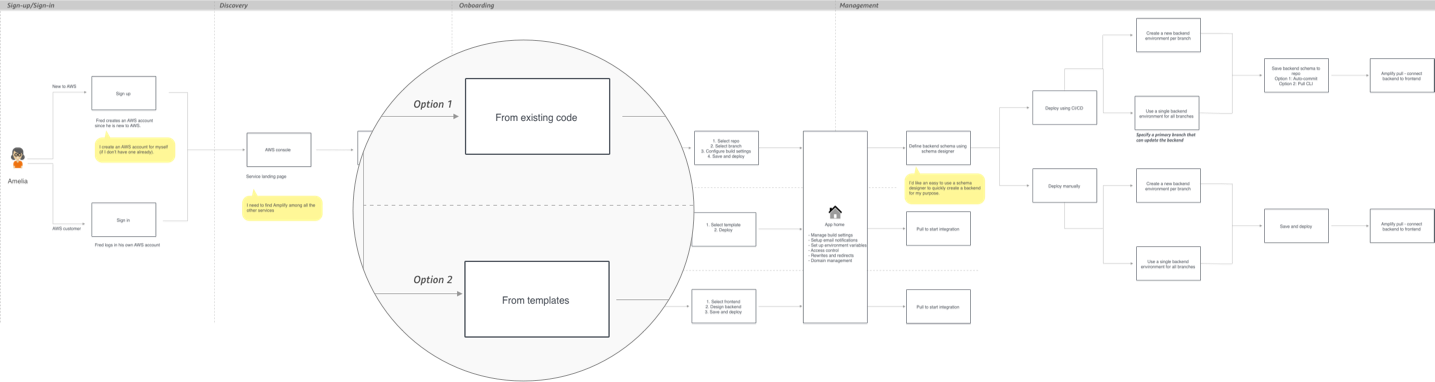
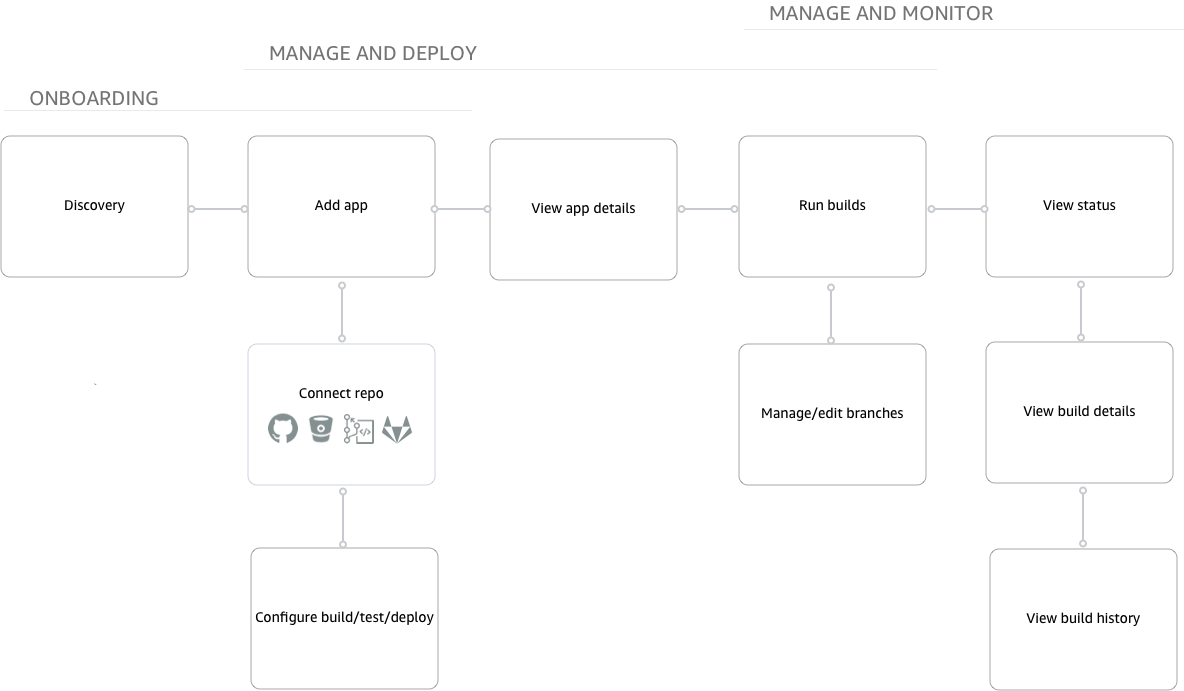
End to end workflow
The re-designed onboarding wizard displays options for users to onboard using their existing code by connecting to a Git repository or, if they are interested in testing out different features, they can choose to deploy a template. This gave users the opportunity to learn more about the service and make informed decisions.
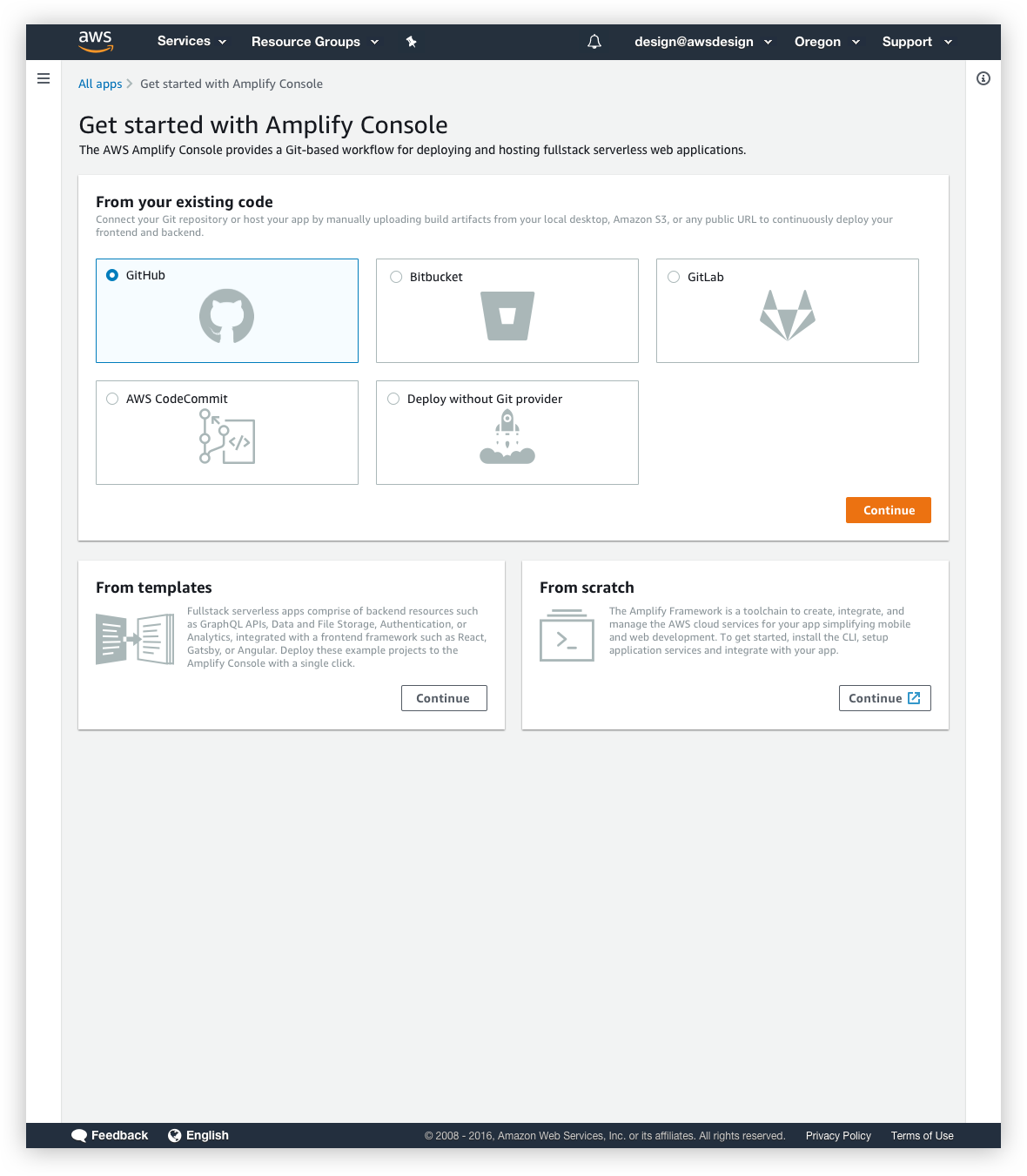
Re-designed onboarding UI
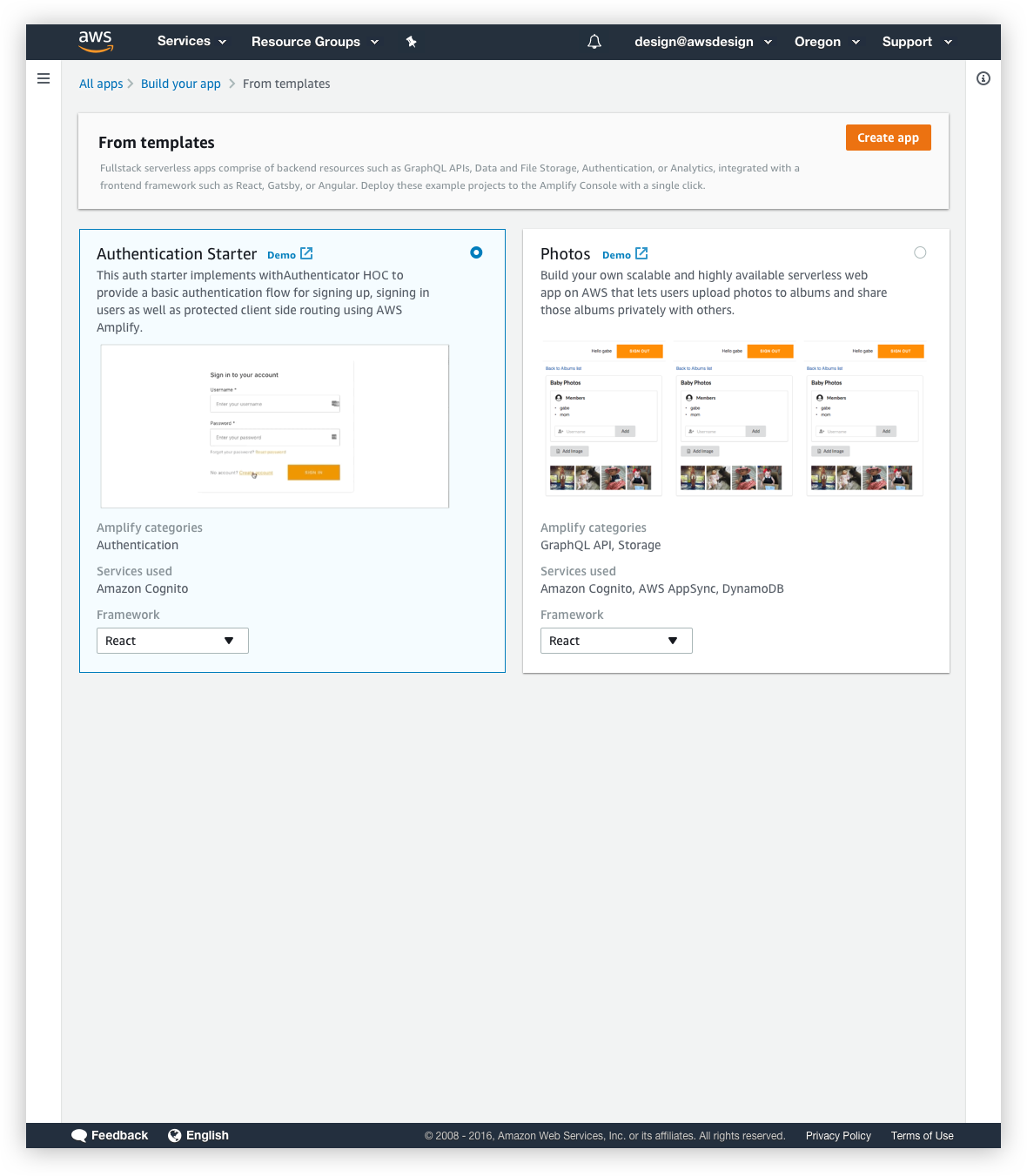
The new onboard using templates UI
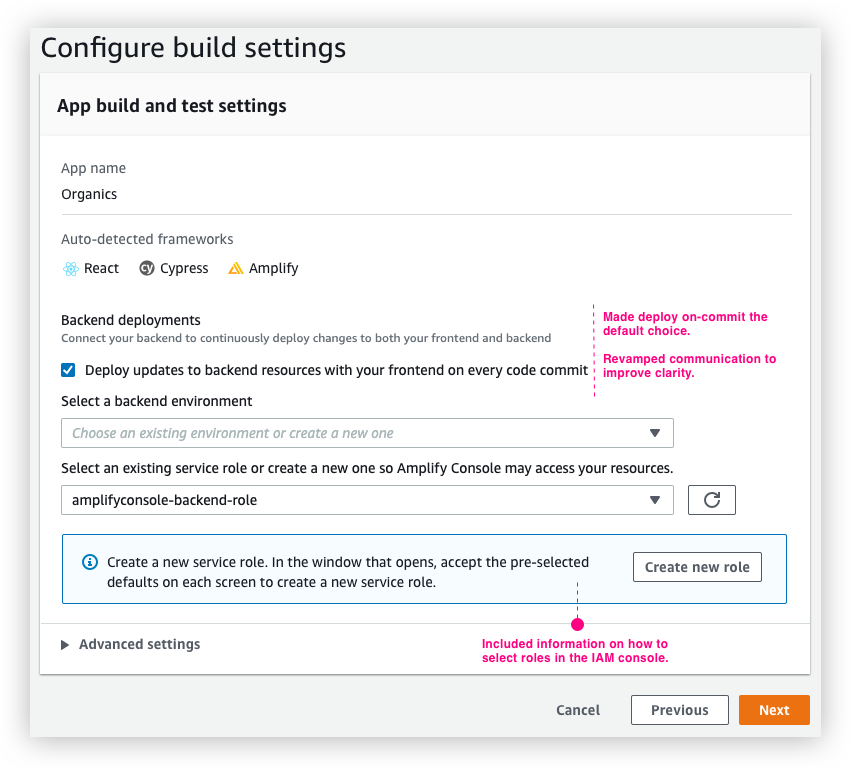
Build settings configuration in the onboarding wizard
2) Visibility into backend environments
We received an overwhelming amount of feedback from users that having no visibility into the backend deployed from the console was a sub-par experience. With this change, developers have the ability to view and manage backend environment(s) in the Amplify Console. Team members can log in to the Console, view a backend environment, and pull changes to their local computers using the Amplify CLI.
The updated UI now shows an additional tab for “Backend environment”. Users can click on the environment name to open up additional details on the various categories that were added to the backend. This empowers the users with the knowledge of all the backend variables used and allows them to check the latest deployment activity.
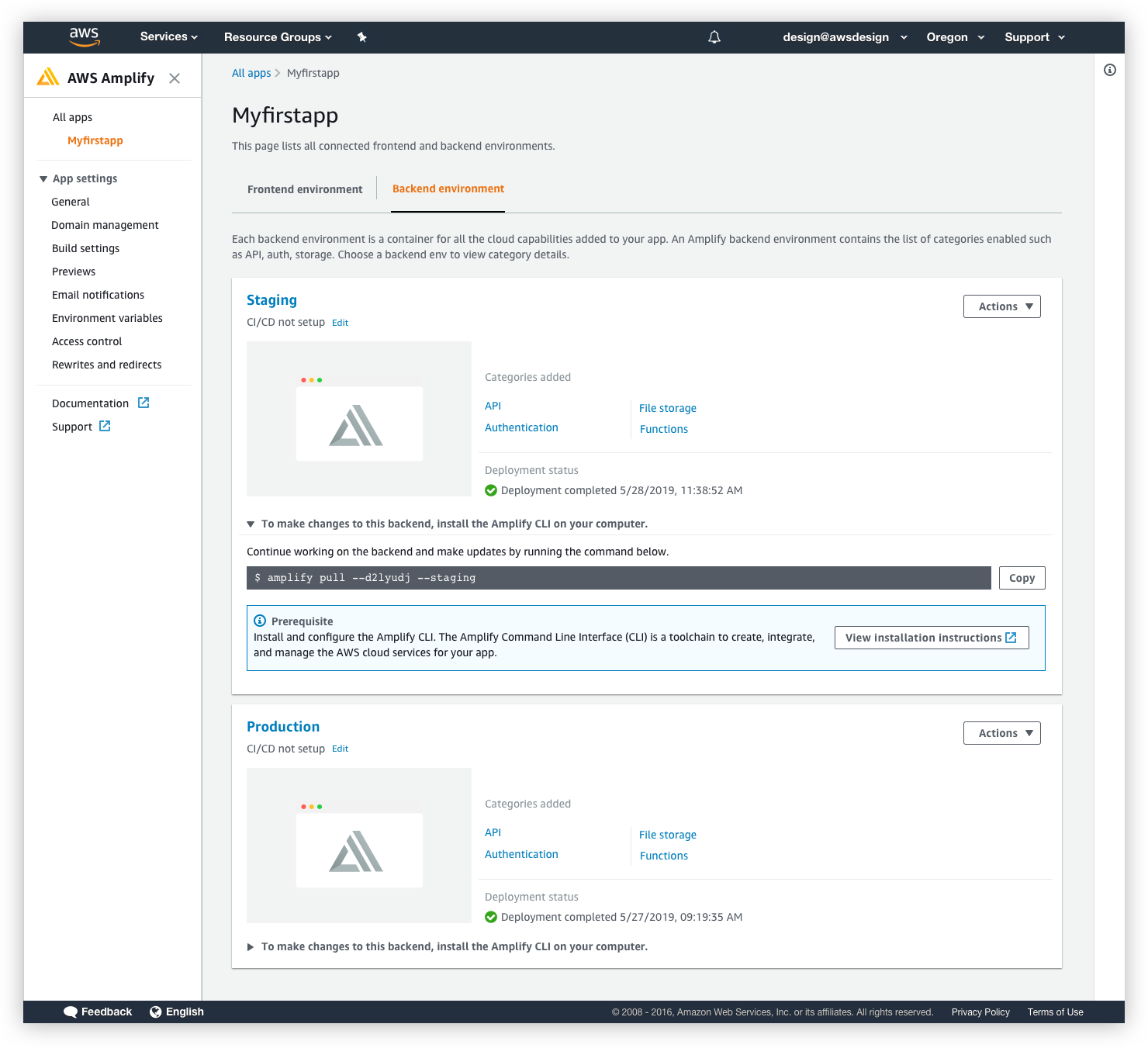
The new “Backend environment” tab in the app details page.
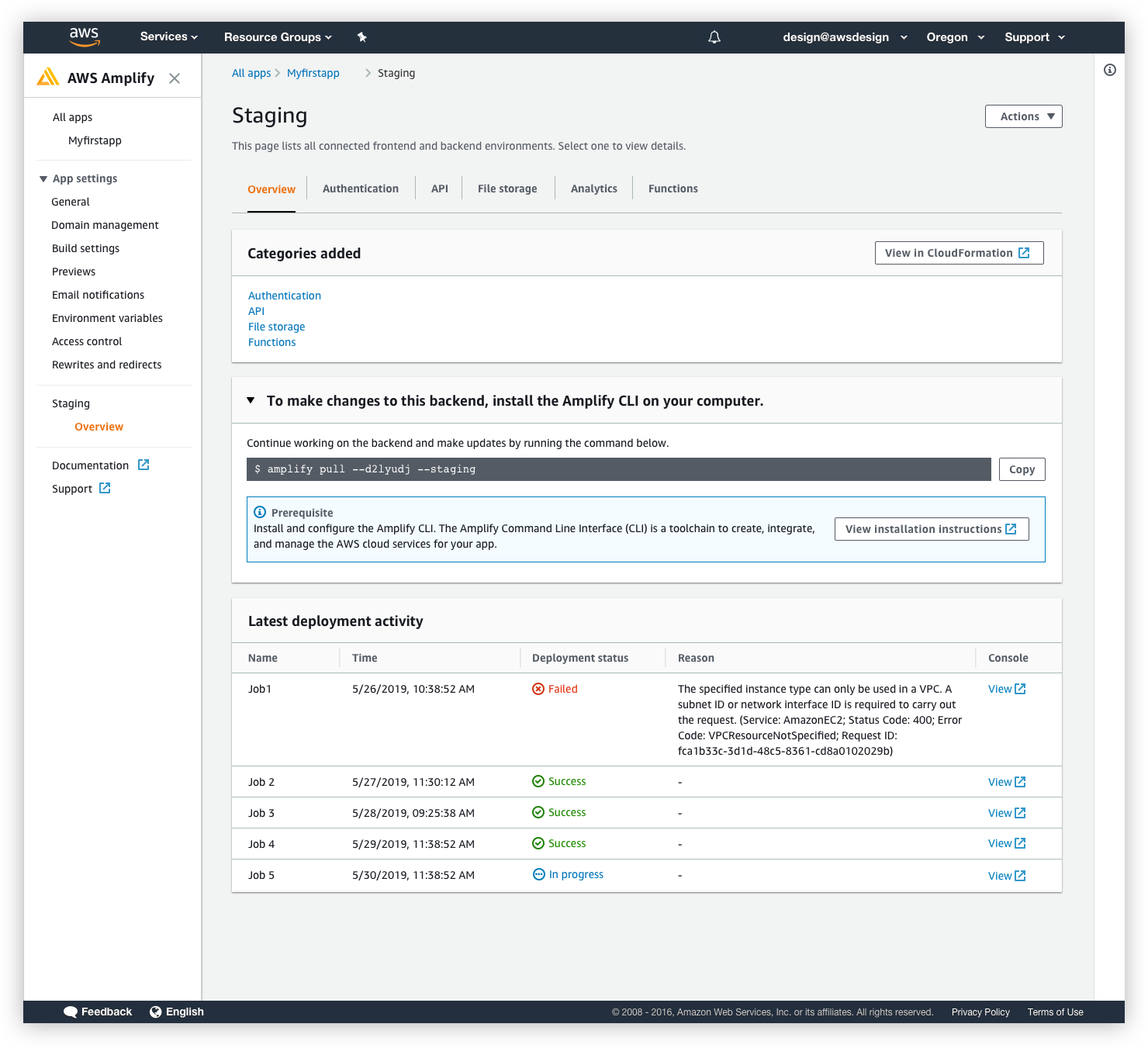
The backend environment details UI
3) Re-designed the domain management workflow to address custom domain setup issues
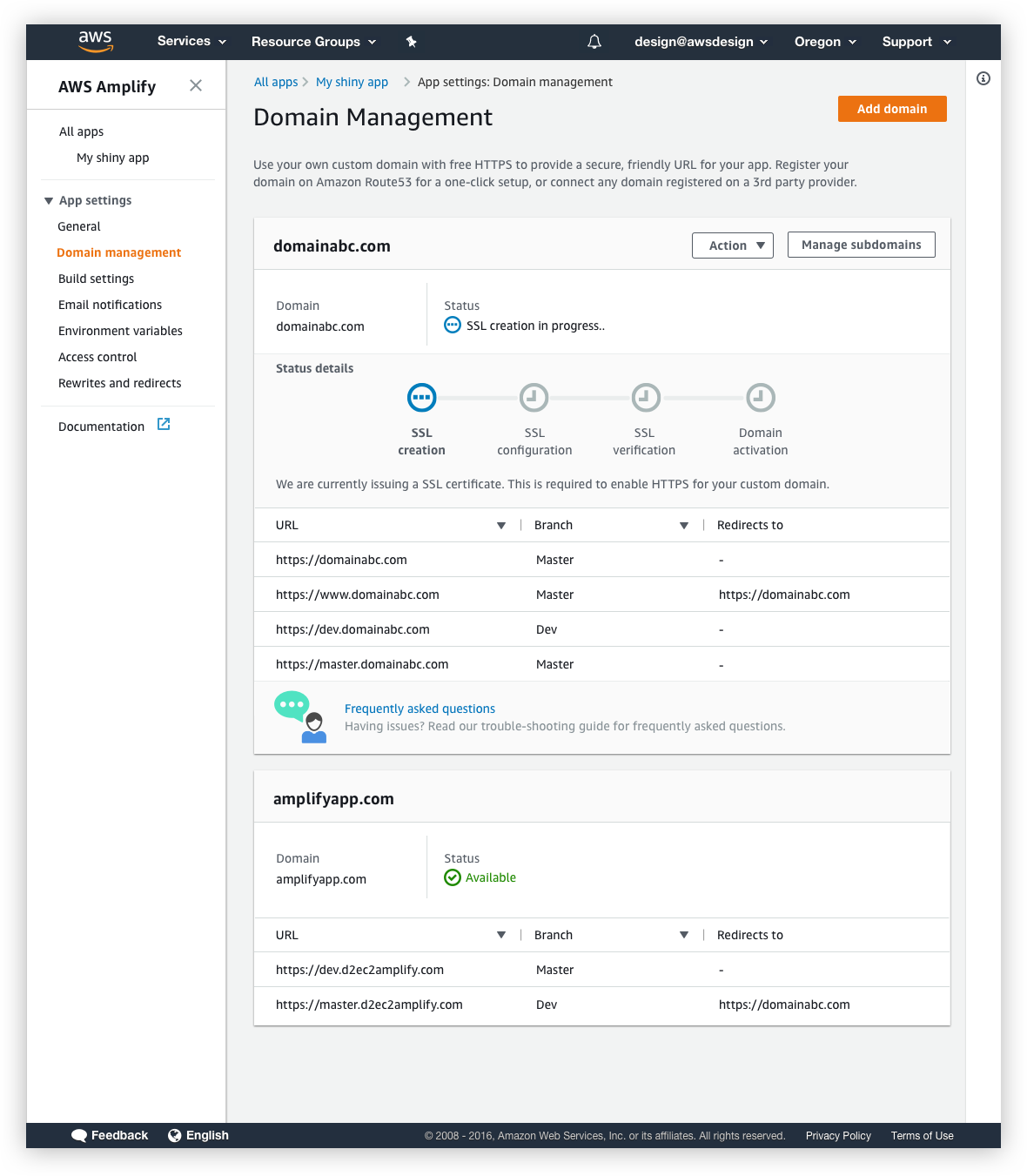
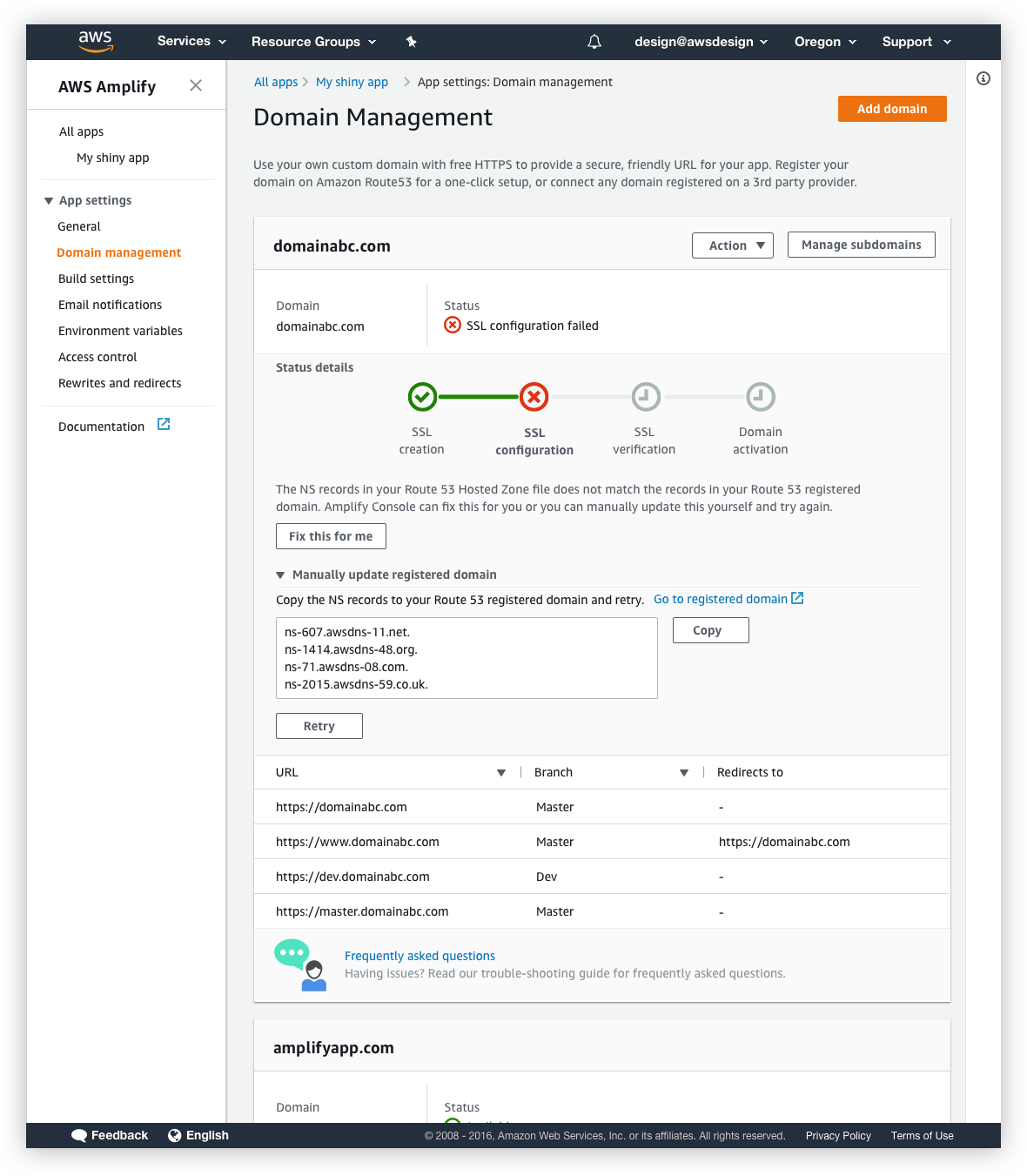
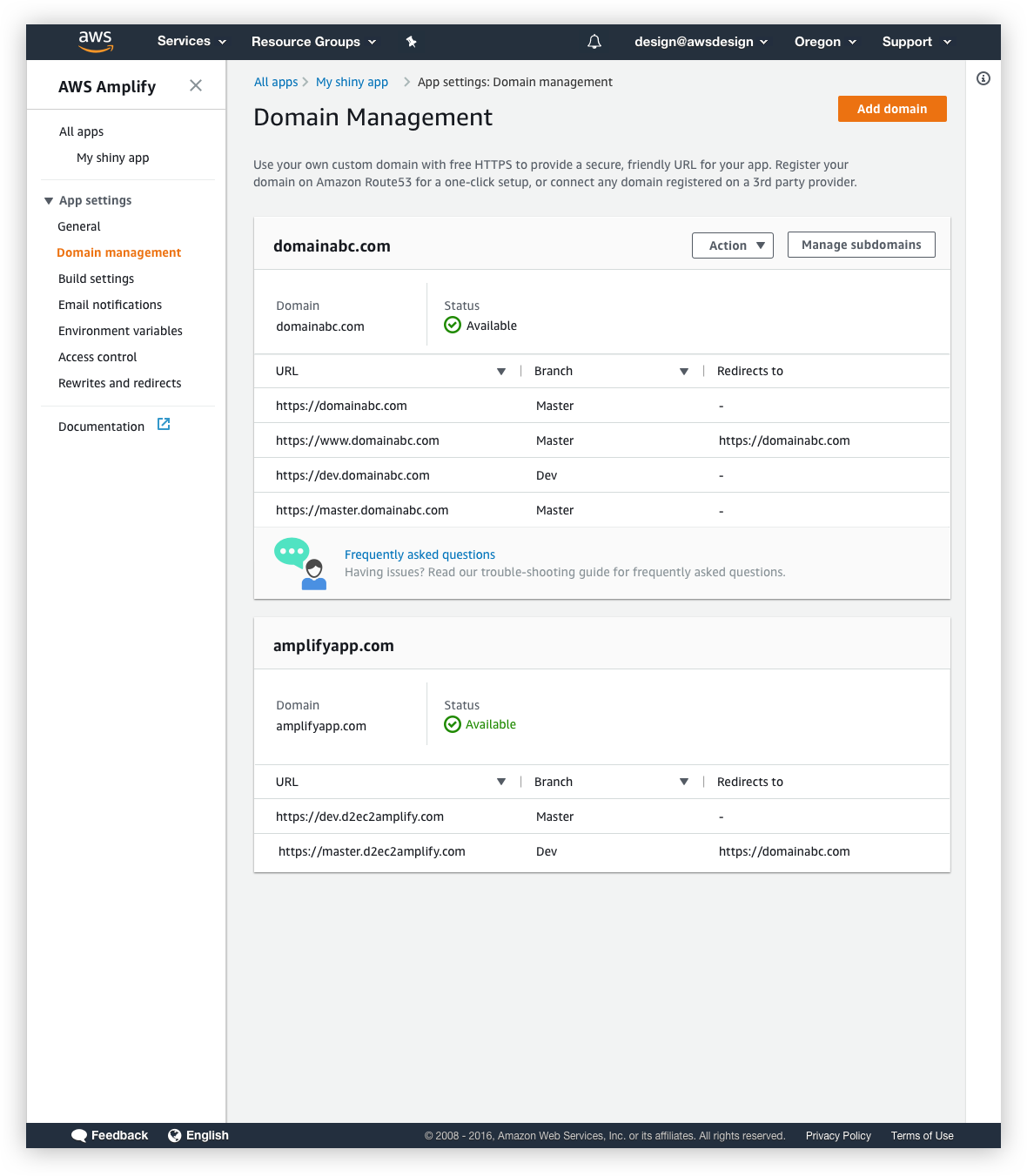
Issues with the domain set-up was the cause for the bulk of the customer support tickets. I worked closed with engineering to figure out how best we can surface issues to customers. Working with them I found out that this was not a one-step activation process and that infact multiple steps were involved in the backend to successfully set up the domain. Engaging directly with customers who logged the ticket, I found that the existing implementation did not inform users that it was a multi-step process. So users would often run into a “pending” status and had no idea why it was pending, where in the process the issue had occurred or what they could do to remedy it. I re-designed the UI to display a “Status details” section that clearly showed the different steps involved and displayed informative error messages with ways to fix them.
The outcome
After the launch, we exceeded the active accounts target by 16%.
Changes to the domain management UI were very well received and drove down the number of customer support tickets from 56% to 13%.
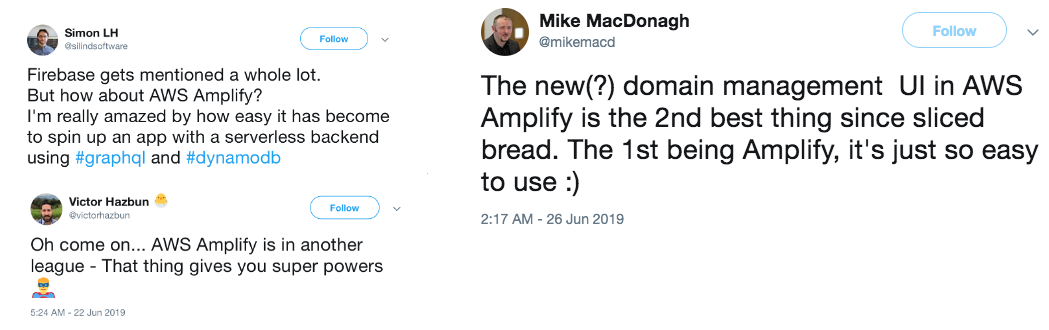
Amplify is loved by the community, making it a top 5 fastest growing open source project on GitHub with millions of downloads.